Pipeline reference
Drop step
A Drop step removes each record where its condition is true, so later steps and destinations never see it.
The condition is an expression read on each record.
Example
The parser declares level as str.
Step
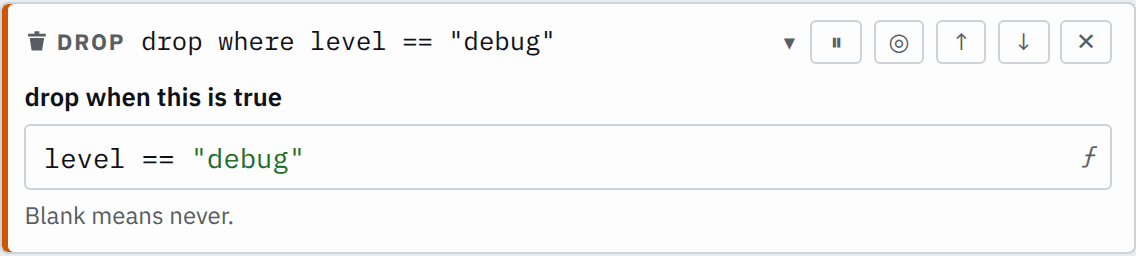

Saved JSON
{
  "id": "drop",
  "type": "drop",
  "condition": "level == \"debug\""
}
Input
{
  "level": "info",
  "message": "order placed"
}
{
"level": "debug",
"message": "cache hit"
}{
"level": "error",
"message": "payment failed"
}Output
{
  "level": "info",
  "message": "order placed"
}
{
"level": "error",
"message": "payment failed"
}The step drops the debug record. The other two continue in their original order.
Settings
It also takes the settings every step takes.
condition expression required
Drops the record where it is true. A null condition keeps the record. The GUI's blank is false.
level == "debug"path == "/health" || user_agent.startsWith("kube-probe")user.isNull()The editor labels condition drop when this is true.
How it works
The step reads its condition on each record. A record where it is true leaves the pipeline at this step. Every other record continues unchanged.
Inside an If step, a Drop step removes only records on that branch.
Null and missing fields
A condition that is null is not true, so the step keeps the record. A record without level passes the same step:
Step
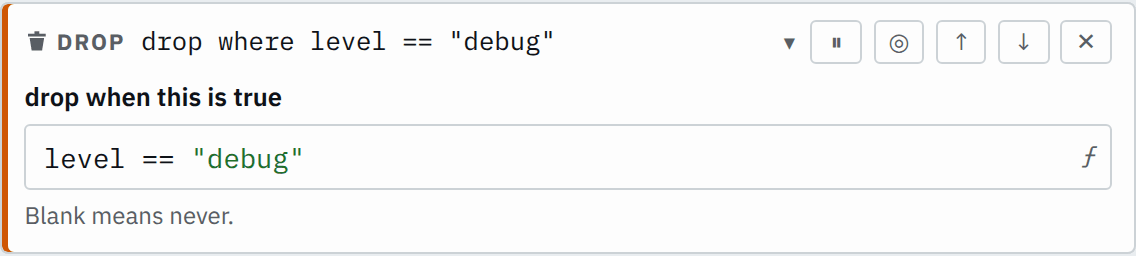

Saved JSON
{
  "id": "drop",
  "type": "drop",
  "condition": "level == \"debug\""
}
Input
{ "message": "no level"}Output
{ "message": "no level"}