Google Cloud Storage via Pub/Sub
Reads each object Cloud Storage announces on a Pub/Sub subscription, splits it into records, and acknowledges the message once Smeltr delivers every record.
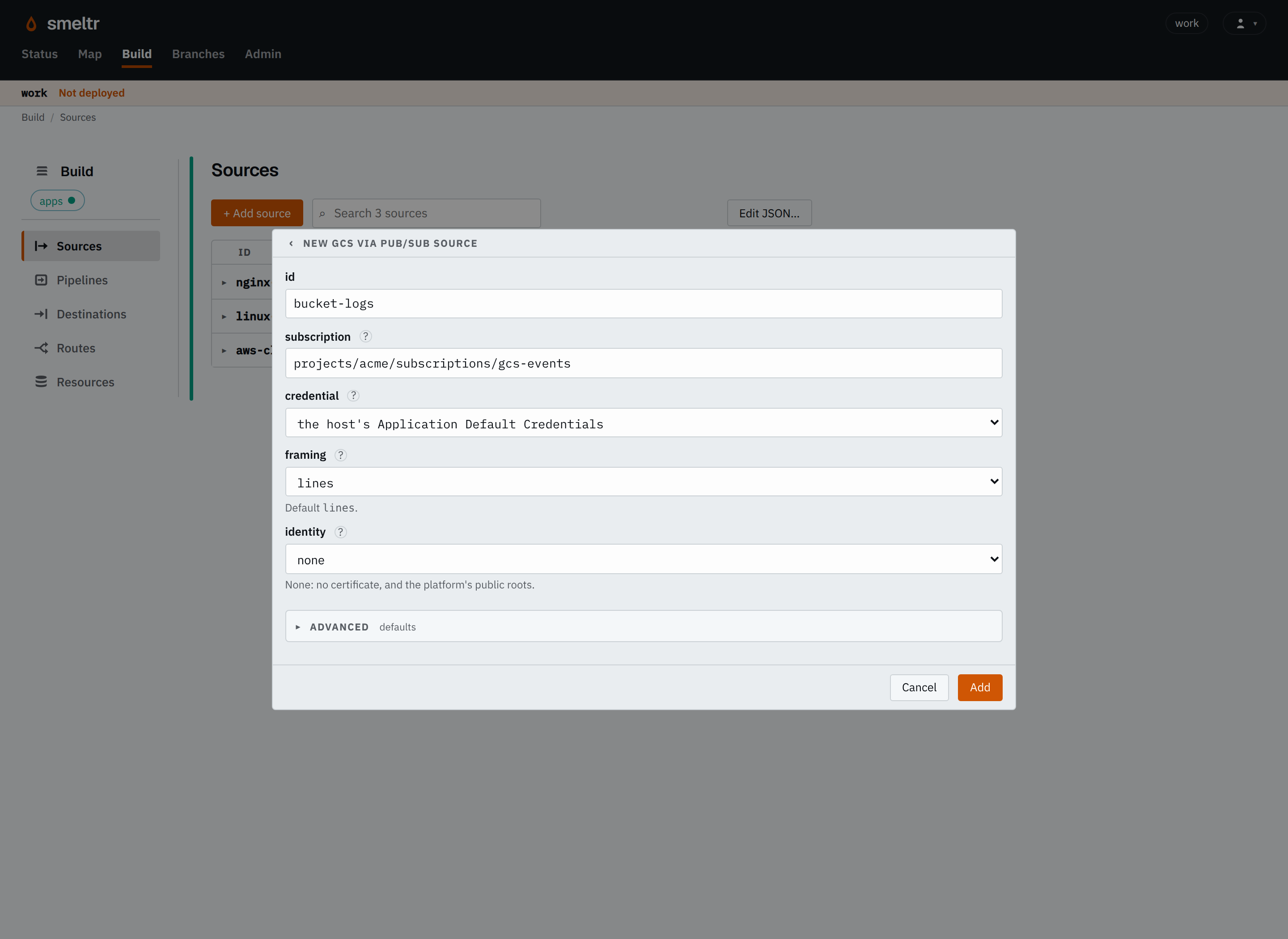
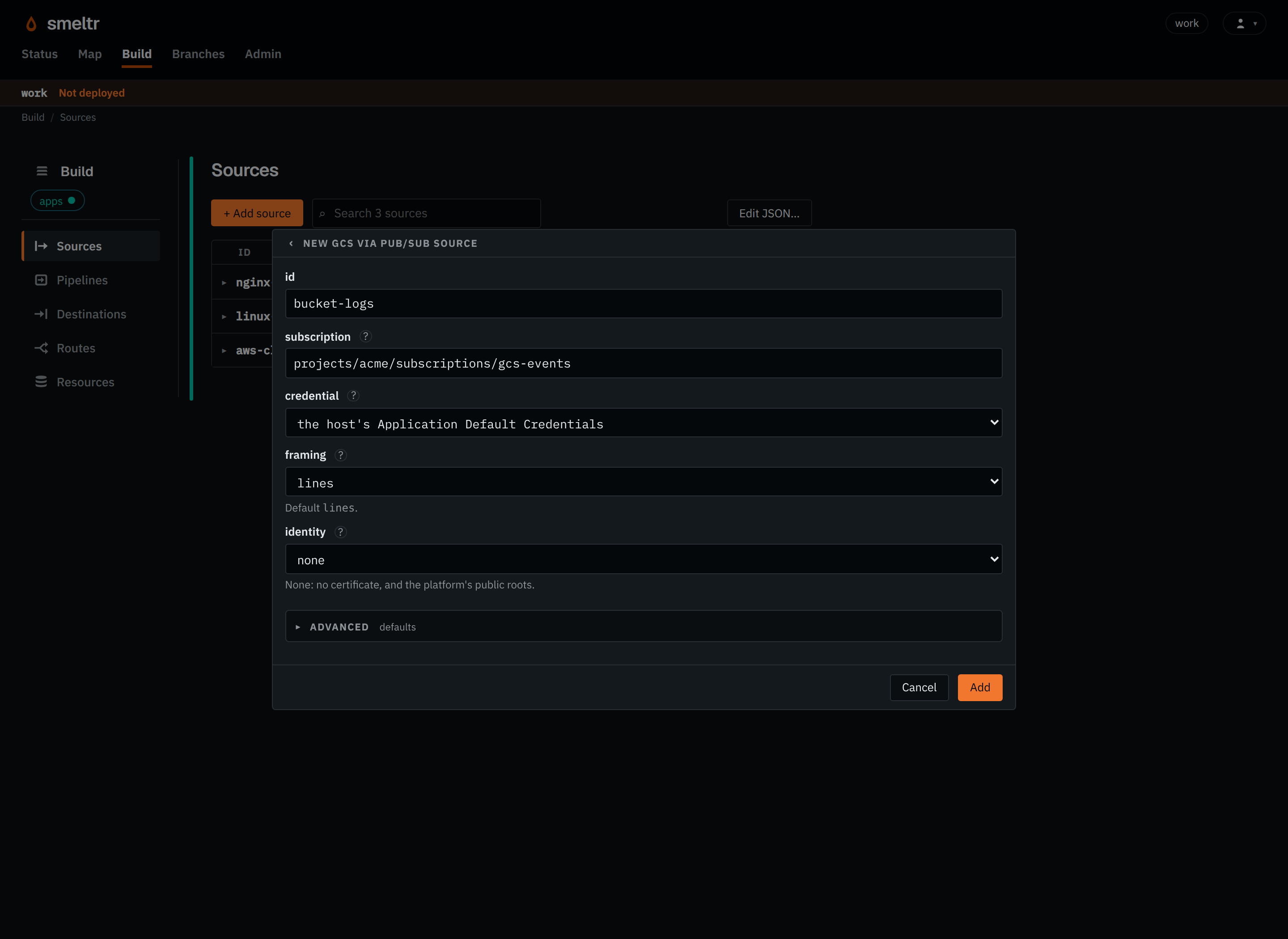
A bucket's Pub/Sub notifications publish a message to a topic for each change to its objects. The source pulls those messages from a subscription on the topic and reads the objects they name, from whichever bucket each one names.
Example
Reads each announced object one line per record, with the service account key from the
worker-host variable GCS_SERVICE_ACCOUNT_KEY.
{
  "id": "bucket-logs",
  "type": "gcsPubSub",
  "subscription": "projects/acme/subscriptions/gcs-events",
  "serviceAccountKey": "GCS_SERVICE_ACCOUNT_KEY",
  "framing": "lines"
}
Before you start
- Configure Pub/Sub notifications for the bucket to a topic. Either payload format works, and you may limit the event type to
OBJECT_FINALIZE. - Create a pull subscription on the topic, and give it a dead-letter topic, so a message the source cannot use stops returning: one whose object it cannot read, or one that is not a Cloud Storage notification at all. Exactly-once delivery may be on or off.
- Give the service account it reads as the Pub/Sub Subscriber role on the subscription and the Storage Object Viewer role on the buckets. See Cloud Storage IAM roles.
- Choose how it signs in. With no key, it uses the worker host's Application Default Credentials. Otherwise put a service account key, the whole JSON file, in a credential.
Settings
It also takes the settings every source takes.
subscription string required
The Pub/Sub subscription on the topic a bucket's notifications go to, named in full. Only OBJECT_FINALIZE notifications are read, at the generation they announce. Give the subscription a dead-letter policy: a message whose object cannot be read, such as an overwritten generation in a bucket without versioning, ends only through it.
projects/acme/subscriptions/gcs-eventsprojects/acme-logging-prod/subscriptions/smeltr-auditserviceAccountKey credential default the host's Application Default Credentials
The credential holding a service account's JSON key. The account needs to read the buckets and to consume the subscription.
GCS_KEY{"secret": "gcs-key","version": 1}format string default each payload is text, in _raw
How each payload becomes the record.
avro- Reads Avro files. Fields you don't declare are kept.
fields list of fields default none
The Avro fields to read, each with a name and a type such as i64 or str. Name a nested field with dots, such as user.id. Top-level fields you don't list are kept. Only with format avro.
[{"name": "user_id","type": "i64"},{"name": "user.name","type": "str"}]framing string default lines
How an object becomes records.
lines- Gives one record per line, or per piece
lineBreakercuts. object- Gives the whole object as one record, for a JSON document such as CloudTrail's that a pipeline unrolls.
escapedLines- Gives one record per line, unescaped as a
bytesobject destination wrote it.
lineBreaker string default a record per line
With lines framing, and only then: where a record ends. Its first capture group is the break and is dropped: the bytes before it end a record, line ends and all, and the bytes after it start the next. What follows the group is kept, so the pattern can say how a record starts: ([\r\n]+)\d{4}- keeps a stack trace with the line that logged it, and </event>(\s*) cuts XML events with no line ends between them. It needs a capture group and must not match the empty string.
([\r\n]+)\d{4}-</event>(\s*)identity identity default none
The connection identity it connects under, for a private CA or a client certificate.
gcp-proxycorp-proxyAdvanced
pubsubEndpoint string default the key's own cloud
Pub/Sub's address, such as an emulator's.
http://localhost:8085https://pubsub-acme.p.googleapis.comendpoint string default the key's own cloud
Cloud Storage's address, such as an emulator's.
http://localhost:4443https://storage-acme.p.googleapis.comencoding string default auto
How a record's bytes become _raw's text: auto, none, or a WHATWG encoding label other than the replacement ones, such as utf-8, utf-16le or shift_jis.
auto- Detects each record's encoding.
utf-8- Decodes every record as UTF-8, as any other label decodes as its own encoding. Bytes that do not decode become U+FFFD.
none- Decodes nothing: the record has no
_raw, and its payload is__source.bytesalone. A pipeline reads it as text withdecode(__source.bytes, encoding).
visibilitySecs integer default 60
Seconds a received message is held from other readers, its ack deadline. The source extends it while it reads the message's objects. 1 to 600.
30030600Fields it gives
| Field | Type | Holds |
|---|---|---|
__source.name | str | The name of the source that read the record. |
__source.type | str | The kind of source that read it, its type, such as kafka, s3List, httpApi or hecReceiver. |
__source.bucket | str | The bucket, or Azure container, the record's object is in. |
__source.key | str | The key, or Azure blob name, of the object the record was read from. |
__source.offset | i64 | The record's offset in its Kafka or Event Hubs partition, or its record number in its object, from 0. |
__source.bytes | bytes | The record's payload as the source read it, before any decoding. The source decodes _raw from it. A bytes destination writes it unless the destination names another field. Text functions refuse it; decode(__source.bytes, encoding) reads it as text. |
How it works
The source reads a notification from its message's attributes, so both payload formats read the
same. It reads the object generation an OBJECT_FINALIZE notification names. The source
acknowledges a notification of any other event, such as a deleted object, without reading anything.
A message that is not a Cloud Storage notification stays on the subscription, like one whose object
the source cannot read.
The source decompresses a gzip, zstd, framed snappy or framed lz4 object first and reads any other as it is.
The source extends a message's ack deadline while it reads the message's objects and Smeltr delivers them, and acknowledges the message once Smeltr commits every record of every object it names. It never acknowledges a message whose object it cannot read.
Verify
Upload an object with a line you can recognize to the bucket, then find that line at the destination. The subscription's unacknowledged message count returns to zero once Smeltr delivers it.
Troubleshooting
- Nothing arrives
- Check that the bucket has a notification configuration for this topic, that Cloud Storage's service agent may publish to the topic, and that the subscription is on the same topic.
- The same object is read again and again
- The source cannot read the object at the generation announced: check Storage Object Viewer on its bucket and the worker log for the reason. A dead-letter topic stops the repeats.