SFTP
Reads each file under a prefix of one directory on an SFTP server, its subdirectories included, and splits it into records.
The source finds files by listing the directory every poll interval. It reads a file once two listings in a row find it unchanged, since an upload to it may still be under way. Only one worker of each group reads this source at a time.
Example
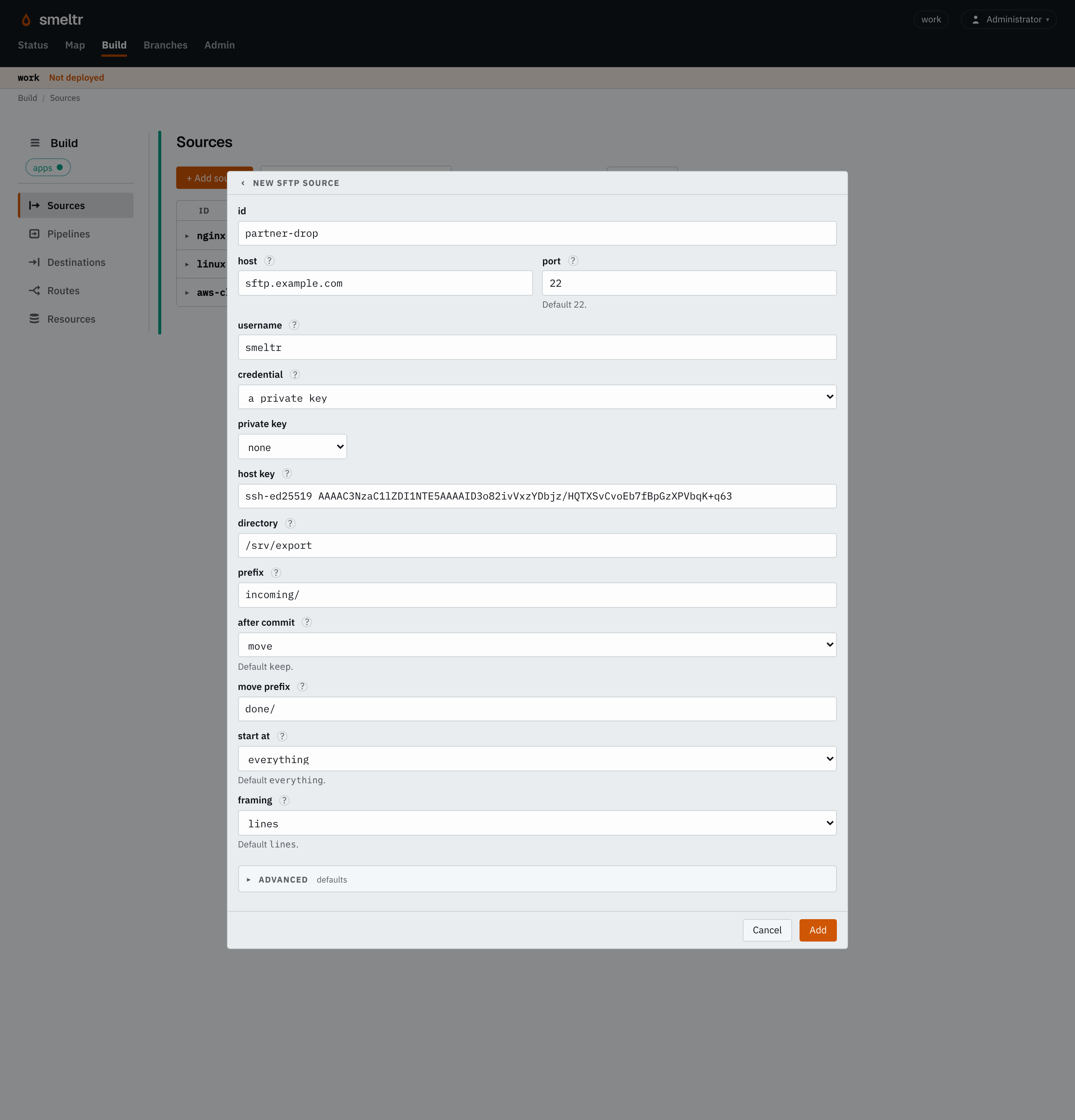
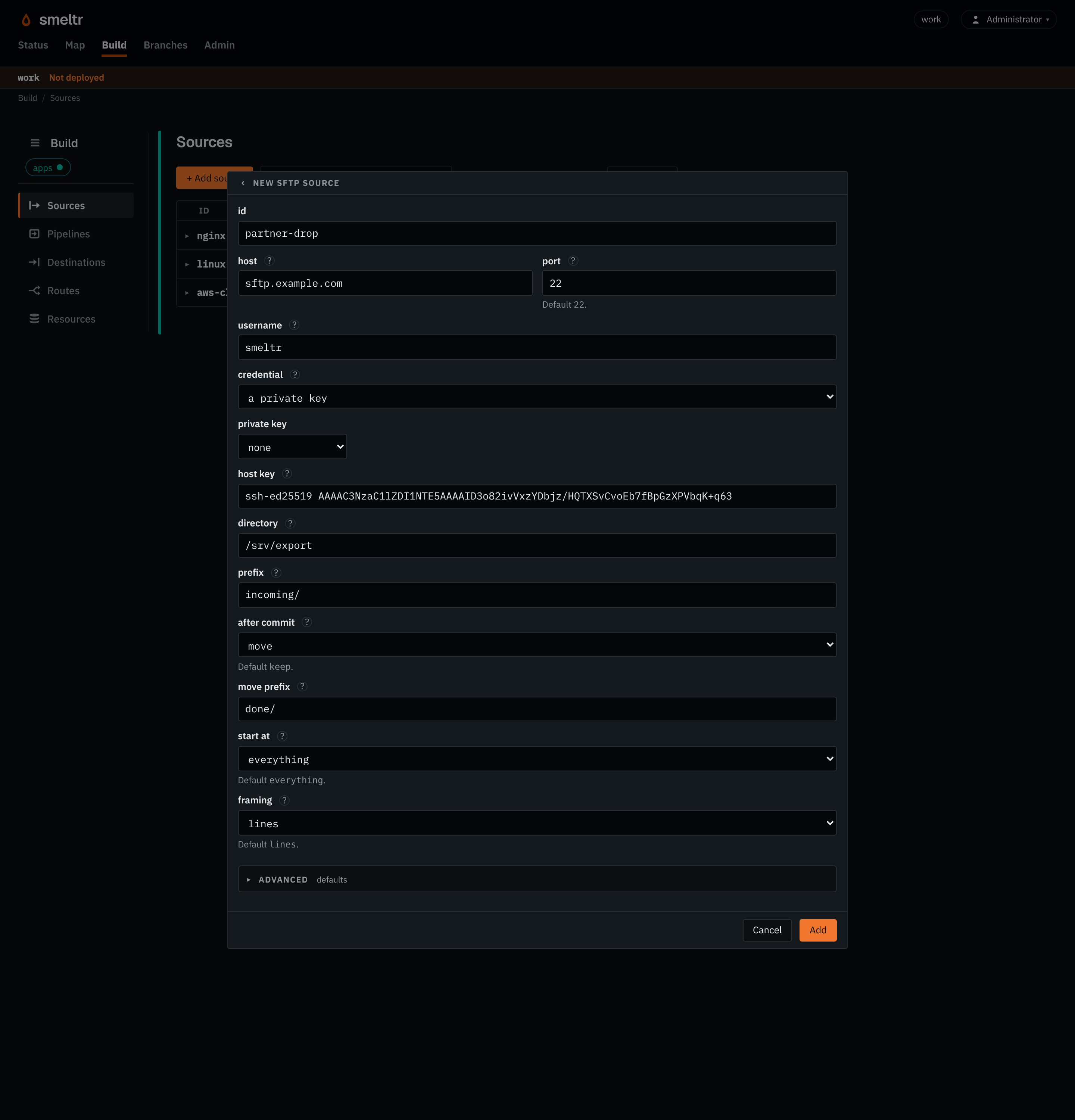
Reads each file under /srv/export/incoming one line per record, signing in with a
private key, and renames each under done/ once Smeltr delivers every record.
{
  "id": "partner-drop",
  "type": "sftp",
  "host": "sftp.example.com",
  "username": "smeltr",
  "privateKey": "SFTP_PRIVATE_KEY",
  "hostKey": "ssh-ed25519 AAAAC3NzaC1lZDI1NTE5AAAAID3o82ivVxzYDbjz/HQTXSvCvoEb7fBpGzXPVbqK+q63",
  "directory": "/srv/export",
  "prefix": "incoming/",
  "framing": "lines",
  "afterCommit": "move",
  "movePrefix": "done/"
}
Before you start
- Have a user on the server that can list and read the directory and its subdirectories. With
afterCommitdeleteormove, the user also needs write access to the directory, to remove or rename files there. - Put the user's password, or its private key, in a credential. The private key is an unencrypted RSA, ed25519 or ECDSA key in OpenSSH's format.
- Have the server's public host key, as one line as OpenSSH writes it:
ssh-ed25519 AAAA…. It is in the server's/etc/ssh/ssh_host_ed25519_key.pub.ssh-keyscanalso prints it:
Drop the host name its line starts with, and check the key against the server's file, sincessh-keyscan -t ed25519 sftp.example.comssh-keyscantrusts the network it asks over.
Settings
It also takes the settings every source takes.
host string required
The server's host name or address.
sftp.example.com10.20.0.5port integer default 22
The server's SSH port.
22228022username string required
The user it signs in as. keep needs only read access to directory; delete and move need write access to it.
smeltrlogshippassword credential default none
The credential holding the user's password. Set exactly one of password and privateKey.
SFTP_PASSWORD{"secret": "sftp-password","version": 1}privateKey credential default none
The credential holding the user's private key: an unencrypted RSA, ed25519 or ECDSA key in OpenSSH's format.
SFTP_PRIVATE_KEY{"secret": "sftp-private-key","version": 1}hostKey string required
The server's public key as OpenSSH writes it, ssh-ed25519 AAAA…, without a host name: it connects to that server and no other. Copy it from the server's /etc/ssh/ssh_host_ed25519_key.pub, or from ssh-keyscan -t ed25519 sftp.example.com, dropping the host name it starts with; keyscan trusts the network it asks over, so check its answer against the server's file.
ssh-ed25519 AAAAC3NzaC1lZDI1NTE5AAAAID3o82ivVxzYDbjz/HQTXSvCvoEb7fBpGzXPVbqK+q63ecdsa-sha2-nistp256 AAAAE2VjZHNhLXNoYTItbmlzdHAyNTYAAAAIbmlzdHAyNTYAAABBBPT4vL5z8JYqEGtjsJtSoSPB1y5safkYlshfGequONZMPCxZoMdIKSdDTRHCSEUHpd/7wzV9jILPtC9O+qHxbZc=directory string default
The directory it reads: absolute, or under the user's home directory. Empty is the home directory.
/srv/exportexports/dailyprefix string default
Only files whose path under directory starts with it. It does not start with /. Empty is every file under directory.
app/incoming/logs/2026/format string default each payload is text, in _raw
How each payload becomes the record.
avro- Reads Avro files. Fields you don't declare are kept.
fields list of fields default none
The Avro fields to read, each with a name and a type such as i64 or str. Name a nested field with dots, such as user.id. Top-level fields you don't list are kept. Only with format avro.
[{"name": "user_id","type": "i64"},{"name": "user.name","type": "str"}]framing string default lines
How a file becomes records.
lines- Gives one record per line, or per piece
lineBreakercuts. object- Gives the whole file as one record, for a JSON document that a pipeline unrolls.
escapedLines- Gives one record per line, unescaped as a
bytesobject destination wrote it.
lineBreaker string default a record per line
With lines framing, and only then: where a record ends. Its first capture group is the break and is dropped: the bytes before it end a record, line ends and all, and the bytes after it start the next. What follows the group is kept, so the pattern can say how a record starts: ([\r\n]+)\d{4}- keeps a stack trace with the line that logged it, and </event>(\s*) cuts XML events with no line ends between them. It needs a capture group and must not match the empty string.
([\r\n]+)\d{4}-</event>(\s*)afterCommit string default keep
What it does with a file once every record is delivered.
keep- Leaves it and records it as read. Needs only read access, and costs a full listing per poll.
delete- Deletes it. Needs write access to the directory.
move- Renames it under
movePrefixin place ofprefix. Needs write access to the directory.
movePrefix string default none
Where move puts a file under directory, in place of prefix. Only with move, and outside prefix. It does not start with /, and ends in / when prefix does or is empty, and only then.
done/archive/2026/processed/app/Advanced
start string default everything
What it reads first.
everything- Reads everything its first listing finds.
new- Reads only what arrives after its first listing. Needs
afterCommitkeep.
pollIntervalSecs integer default 60
Seconds from the start of one listing to the start of the next. At least 1.
300303600encoding string default auto
How a record's bytes become _raw's text: auto, none, or a WHATWG encoding label other than the replacement ones, such as utf-8, utf-16le or shift_jis.
auto- Detects each record's encoding.
utf-8- Decodes every record as UTF-8, as any other label decodes as its own encoding. Bytes that do not decode become U+FFFD.
none- Decodes nothing: the record has no
_raw, and its payload is__source.bytesalone. A pipeline reads it as text withdecode(__source.bytes, encoding).
Fields it gives
__source.bucket holds the directory, and __source.key the file's path under
it.
| Field | Type | Holds |
|---|---|---|
__source.name | str | The name of the source that read the record. |
__source.type | str | The kind of source that read it, its type, such as kafka, s3List, httpApi or hecReceiver. |
__source.bucket | str | The bucket, or Azure container, the record's object is in. |
__source.key | str | The key, or Azure blob name, of the object the record was read from. |
__source.offset | i64 | The record's offset in its Kafka or Event Hubs partition, or its record number in its object, from 0. |
__source.bytes | bytes | The record's payload as the source read it, before any decoding. The source decodes _raw from it. A bytes destination writes it unless the destination names another field. Text functions refuse it; decode(__source.bytes, encoding) reads it as text. |
How it works
Every pollIntervalSecs the source lists directory and each
subdirectory that may hold a path starting with prefix. It reads regular files
only: it skips a link. A file's version is its size and modification time. The source reads a
file it finds new or changed once the next listing finds it the same, and reads it again whole
if it changes after that. The source does not see a rewrite to the same size within the same
second as a change.
The source decompresses a gzip, zstd, framed snappy or framed lz4 file first and reads any other as it is.
The source skips the files an SFTP destination writes under a hidden temporary name before renaming them into place, so it reads a file such a destination writes only once it is whole.
One worker reads it
Every worker of the group runs the source, and the leader holds it for one of them, which reads it. The leader gives the hold to another worker after three heartbeat intervals without hearing from the holder, the holder's interval or the leader's, whichever is longer, and that worker resumes from the last progress the leader kept. That worker delivers again what the previous holder delivered after that progress, so a takeover can cost duplicates, never lost records.
After commit
Once Smeltr delivers every record of a file, the source does what afterCommit says:
keepleaves the file and records its path and version in a ledger, which the worker reports to the leader. The next worker to read the source reads only what the ledger does not hold. Every poll lists everything under the prefix.deleteremoves the file.moverenames the file on the server, from underprefixto undermovePrefix, creating the directories it needs. The rename replaces a file already at the new path.
With delete or move, the directory is its own queue and the source
keeps no ledger. Either one first checks that the file still holds the version the source read;
the source leaves a file changed since in place and reads it again.
A file handed out five times and never delivered counts as unreadable, and is not read again
until it changes. With keep it goes into the ledger as read; with delete or move it stays where it is. With delete or move only the holder
remembers it, so a restart or a new holder hands it out again.
Start
start everything reads every file the first listing finds. new records what the first listing finds as read, and reads only what arrives or
changes after it. It needs afterCommit keep.
The source's progress belongs to its name and to its user, host, port, directory and prefix. Renamed, or pointed anywhere else, it starts afresh.
Once you remove the source and deploy, the leader forgets its progress, so a rollback that brings the source back starts it afresh.
The host key
The source connects only to the server holding the key in hostKey, and asks the
server for a key of that kind only, so a server holding keys of several kinds shows the one
pinned. The source refuses a server offering any other key before it signs in.
Verify
Upload a file with a line you can recognize to the directory, under the prefix, then find that
line at the destination once the next two listings have passed. With delete the
file then leaves the directory; with move it is under movePrefix.
On the Sources page, the worker column names the worker holding the source, and
with keep how many files its ledger holds.
Troubleshooting
- the server's host key is not the one configured
hostKeyis not the key this server offers. Copy it again from the server's/etc/ssh/ssh_host_<kind>_key.pub, of the kind you pin. A server whose key was replaced needs the new one.- the server refused the password given for user …
- The server does not accept that password, or, for a private key, that key, for
username. Check the credential's value, and for a key, that the user'sauthorized_keyson the server holds its public half. - no connection within 30s
- Connecting and signing in did not finish. Check that the worker host can reach
hostonport, and that the port is the server's SSH port. - Nothing arrives
- The source reads a file only once two listings in a row find it the same, so allow two poll
intervals. Check that the file's path under
directorystarts withprefix, and the worker log for the reason a listing failed. Withkeep, a subdirectory under the prefix that the user may not read fails the whole listing; withdeleteormovethe source skips it with a warning. - The worker column is empty
- No worker of the group holds the source: check that a worker of the group is running and reaches the leader.